Unlock the Full Potential of Your GIFs: Optimize for Every Platform with an Online Gif Resizer
Animated GIFs are the universal language of the internet – from reactions in chat to captivating visuals on social media and newsletters. They inject personality and dynamism into digital communication like no other format. However, the very charm of a looping animation often comes with a significant drawback: hefty file sizes. A large GIF can slow down websites, bog down social feeds, or even prevent your email from reaching its recipient's inbox.
This is where an efficient Gif Resizer becomes an indispensable tool. Far more than just shrinking images, a dedicated online GIF resizer allows you to precisely tailor your animations to meet the specific requirements and best practices of various platforms. Whether you're crafting the perfect Discord emoji, an engaging Twitter post, or an eye-catching email banner, understanding how to effectively resize your GIFs is key to ensuring they look great and perform flawlessly.
Why Optimizing Your GIFs is Non-Negotiable in the Digital Age
While animated GIFs are incredibly popular, their structure often leads to larger file sizes compared to modern video formats. Each frame within a GIF is essentially an individual image, and stringing many of these together to create animation can quickly accumulate data. This inherent characteristic means that without proper optimization, GIFs can become a bottleneck for speed and efficiency across almost all digital touchpoints.
Consider the impact:
- Page Load Speed: Large GIFs on websites can drastically increase load times, frustrating users and negatively impacting your search engine rankings.
- Social Media Engagement: Platforms like Twitter, while supportive of GIFs, still recommend smaller files for smoother playback and wider reach. Oversized GIFs might load slowly for users on mobile data.
- Email Deliverability: Email clients have strict file size limits. A GIF that's too large can prevent your email from being delivered or cause it to be flagged as spam.
- Platform Compatibility: Specific platforms like Discord have precise dimension and file size requirements for features like custom emojis and stickers. Failing to meet these means your GIF simply won't work.
- Storage Space: For content creators or anyone managing a library of GIFs, optimizing file sizes can significantly reduce storage demands.
An online gif resizer addresses these challenges head-on, giving you the power to create animations that are both visually appealing and technically optimized.
Mastering the Online Gif Resizer: A Step-by-Step Guide
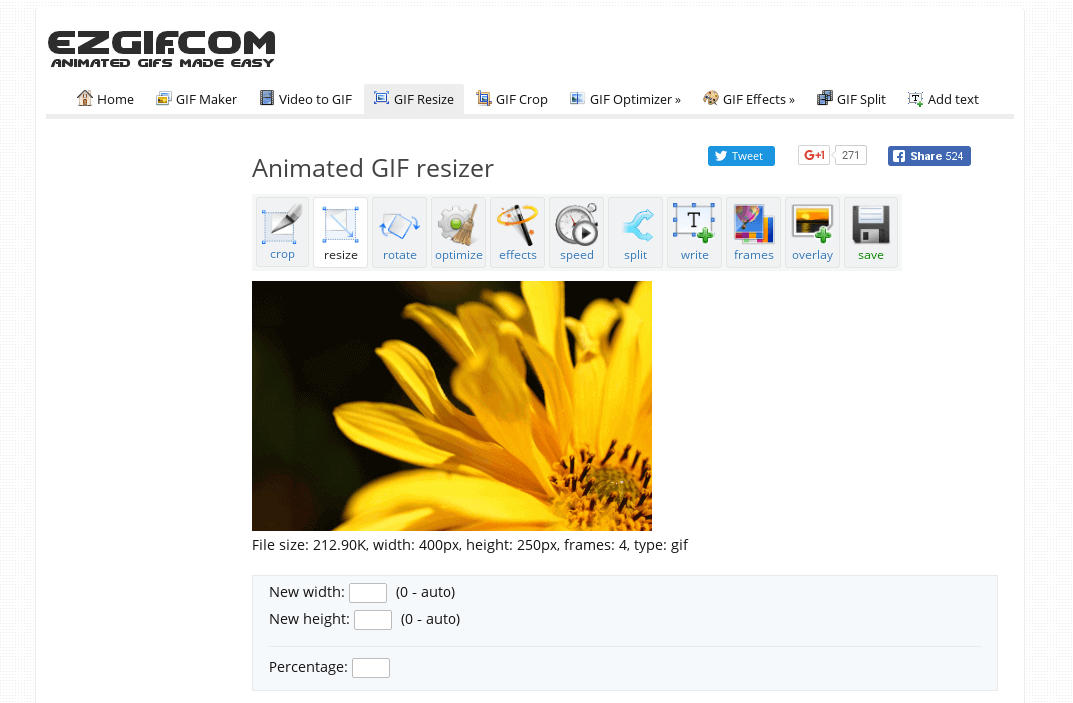
Utilizing a dedicated online gif resizer is typically a straightforward process designed for efficiency and ease of use. Here’s a general overview of how you can transform your GIFs:
1. Upload Your GIF
Most online tools offer intuitive upload methods. You can usually drag and drop your animated GIF file directly into the designated area or use a traditional file browser to select it from your device. The process begins instantly, preparing your animation for optimization.
2. Choose Your Resize Method: Percentage or Exact Dimensions
This is where precision comes into play:
- Scale by Percentage: This method allows you to proportionally reduce or enlarge your GIF. For instance, selecting "50%" will make your GIF half its original size, while "200%" would double it. This is ideal when you want to maintain aspect ratio and simply need a smaller or larger version without specific pixel targets.
- Set Exact Pixel Dimensions: For platforms with strict requirements, this mode is invaluable. You can input precise width and height values, such as 128x128 pixels for a Discord emoji or 480x480 for a Twitter post. Many tools also offer convenient preset buttons for popular sizes, saving you time and ensuring accuracy.
3. Select a Quality Setting
The chosen quality setting determines the algorithm used for resizing, directly impacting the final visual fidelity and processing time. Understanding these options is crucial for achieving your desired outcome:
- High Quality (Lanczos Filtering): This advanced filtering algorithm is perfect when visual excellence is paramount. It delivers the sharpest possible result, making it ideal for logos, detailed artwork, or situations where you might upscale the GIF later. Be aware that this method takes longer to process, but the superior output is often worth the wait.
- Medium Quality (Triangle Filter): Offering a balanced approach, the Triangle filter provides a great equilibrium between image quality and processing speed. It's the recommended choice for most common use cases, including social media posts, general web content, and chat messages, delivering good visuals without excessive waiting.
- Fast Processing (Point Sampling): When speed is your top priority, Point sampling is the fastest option. It's best suited for quick previews or when dealing with very large files where a slight reduction in visual quality is acceptable. However, be cautious when upscaling with this setting, as it may produce pixelated results. For serious enlargement, specialized AI-powered upscalers are better.
For most users, the Medium quality setting offers the best trade-off, providing excellent results without significant delays.
4. Preview and Process
Before committing to the resize, a good gif resizer will present a summary panel showcasing the new dimensions. This allows you to verify your settings and make any adjustments. Once satisfied, click "Resize GIF." The tool will then process your animation. After completion, you can download your optimized GIF. If the file size remains larger than desired, many tools also offer a complementary GIF compressor to further reduce its weight.
Tailoring GIFs for Popular Platforms: Discord, Twitter & Email
Each digital platform has its own set of guidelines and technical specifications for animated content. Adhering to these is crucial for ensuring your GIFs display correctly and effectively. An online gif resizer simplifies this process by allowing precise customization.
Discord Emojis & Stickers
Discord is a hub for community interaction, and custom emojis and stickers are integral to its culture. For these, Discord has specific requirements:
- Dimensions: All custom emojis must be exactly 128x128 pixels.
- File Size: Each emoji or sticker must be under 256KB.
Use the 128x128 preset on your gif resizer to instantly match the dimension requirement. If, after resizing, your GIF is still over the 256KB limit, a subsequent run through a GIF compressor tool can help you shave off the extra kilobytes without significantly impacting visual quality.
Twitter (X) Animated Posts
Twitter, now X, is a prime platform for sharing animated GIFs, but optimizing them is key for maximum reach and engagement:
- Maximum File Size: Twitter supports GIFs up to 15MB.
- Recommended File Size: For optimal performance and user experience, Twitter generally recommends keeping GIFs under 5MB.
- Suggested Dimensions: While not strictly enforced, resizing your GIF to around 480x480 pixels or smaller can significantly help in reducing the file weight, making it quicker to load and smoother to play for your audience.
Leverage your gif resizer's dimension mode to set a resolution like 480x480 to bring down the file size. For very large or high-quality GIFs, a medium quality setting is often sufficient to maintain clarity while reducing data.
Email and Newsletters
Incorporating animated GIFs into emails and newsletters can dramatically boost engagement, but they demand careful optimization to ensure they display correctly across diverse email clients and don't trigger spam filters:
- File Size: Aim for GIFs under 500KB. Anything larger risks slow loading, broken images, or being blocked entirely.
- Width: Keep the GIF width under 600 pixels. This ensures proper display across the majority of email clients, which often have fixed content widths.
- Animation Speed: Beyond size, consider adjusting the animation speed. A slower, smoother loop is often more professional and easier for recipients to digest than a fast, jarring animation.
An online gif resizer can help you achieve both the target dimensions and, through its quality settings, contribute to a smaller file size that is email-friendly. Always test your GIF in multiple email clients before sending a campaign.
Beyond Basic Resizing: Advanced Tips for Web Performance and Quality
The utility of a gif resizer extends beyond merely meeting platform requirements; it's a vital tool for enhancing overall digital performance and user experience.
Boosting Web Performance
Website speed is a critical factor for user retention and search engine optimization. Smaller, optimized GIFs load faster, directly contributing to improved page speed scores and a more fluid browsing experience. For even greater performance gains, especially with complex or lengthy animations, consider converting GIFs to MP4 video format. Videos are typically 80% smaller than their GIF counterparts for similar content and offer broader browser support and better compression algorithms. For more in-depth strategies, check out our article on Boost Web Performance: Optimize GIF Size & Quality.
Preserving Animation Quality
One common concern when resizing is the potential degradation of animation quality. High-quality gif resizers address this by processing each frame individually using advanced filtering algorithms. This meticulous approach ensures that when you scale down, the animation smoothness and visual integrity are well maintained.
However, if your goal is to enlarge a GIF, simple scaling can lead to pixelation. For superior enlargement results, specialized AI-powered GIF upscalers are recommended. These tools intelligently add detail when increasing size, producing a much clearer and sharper image than traditional resizing methods could achieve. When choosing your quality setting, remember that High (Lanczos) is best for retaining detail, Medium (Triangle) for a balance, and Fast (Point) for speed – each serving a specific purpose in your optimization workflow.
Conclusion
In a digital landscape where every millisecond and pixel counts, the ability to efficiently resize and optimize your animated GIFs is no longer a luxury but a necessity. An online gif resizer empowers you to transform your animations, ensuring they are perfectly suited for Discord, Twitter, email, and your website, without compromising on visual appeal. By understanding the nuances of dimension control, quality settings, and platform-specific requirements, you can unlock the full potential of your GIFs, making your content more engaging, faster loading, and universally compatible. Embrace the power of intelligent GIF optimization and watch your animated content truly shine.